Short answer: an SEO audit is a structured review of the pages, technical signals, content, links, and conversion path that can affect how a site is found and used. For a B2B website, the useful output is a prioritized repair list tied to real URLs, evidence, owners, and verification steps. A tool health score by itself is not an audit.
This guide is written for teams that sell products or services through an English-language B2B website. It covers the checks that usually decide whether search visitors can reach the right page, understand the offer, and take the next step. It also shows how the same checks support visibility in AI search.
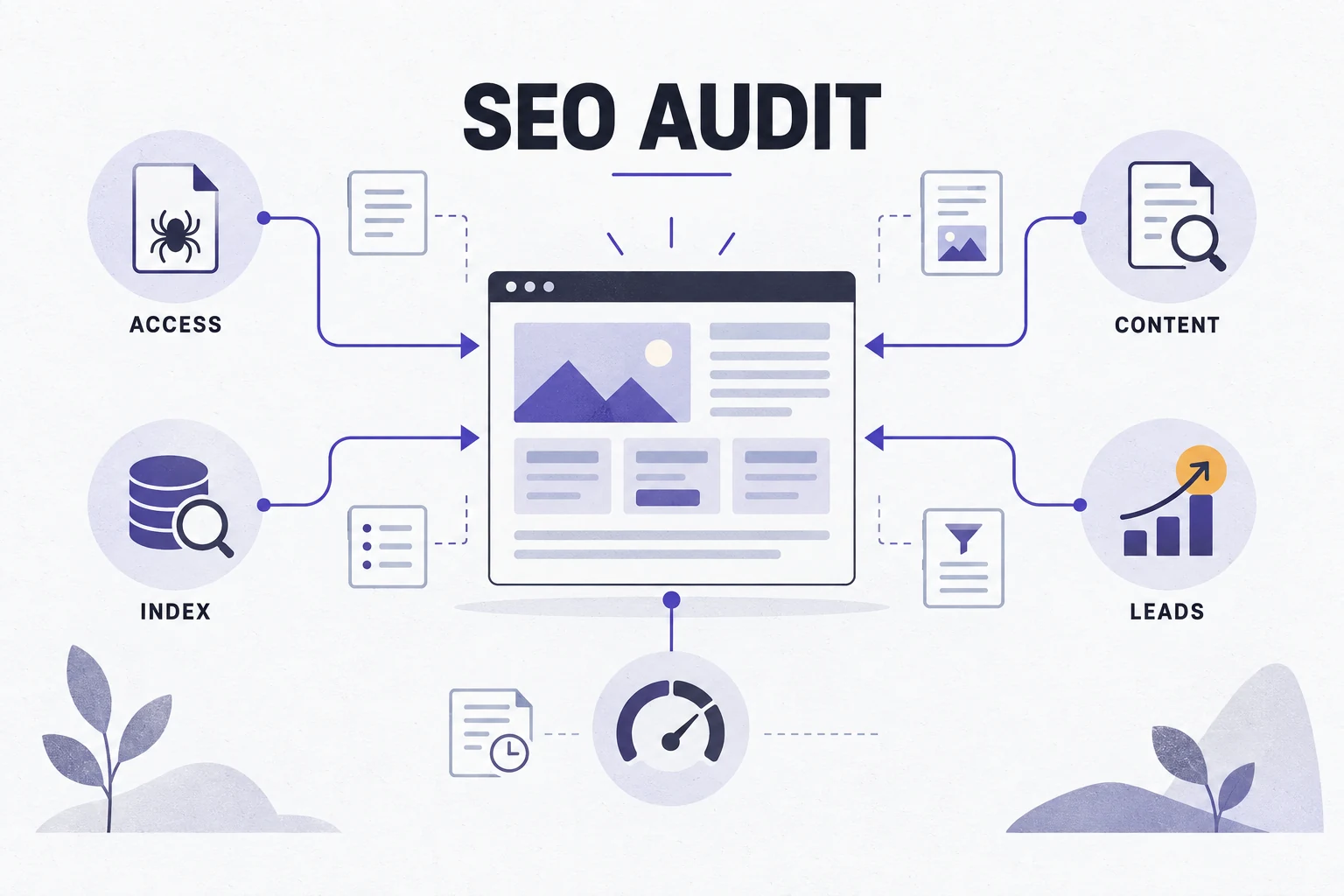
What an SEO audit should tell a B2B team
A useful audit answers four practical questions. Can search systems reach the page? Can they select the right URL for the index? Does the page satisfy the query and provide enough product or service proof? Can a qualified visitor move from that page to an inquiry without friction?
| Audit question | Evidence to collect | Decision it supports |
|---|---|---|
| Can the page be reached? | HTTP response, robots rules, sitemap entry, rendered HTML | Fix access or delivery blockers first. |
| Is the right URL indexed? | Canonical, noindex, redirects, duplicate patterns, Search Console status | Choose one owner URL and remove competing signals. |
| Does the page match the buyer task? | Query, title, heading, copy, specification, proof, internal links | Improve the page or assign the intent to another URL. |
| Can the visit become a lead? | CTA, form fields, contact path, analytics event, sales feedback | Repair the handoff and define what a qualified inquiry means. |
The audit should also state what the evidence cannot prove. A crawler can flag a missing title, but it cannot decide whether the page deserves to rank. A keyword tool can estimate demand, but it cannot tell you whether a visitor is a procurement manager or a student. Search Console can show impressions and clicks for a property, but it does not replace a sales pipeline.
B2B SEO audit checklist
Work through the checks below in order. Start with access and indexation because a strong page cannot compensate for a blocked or conflicting URL. Then review meaning, navigation, experience, and conversion.
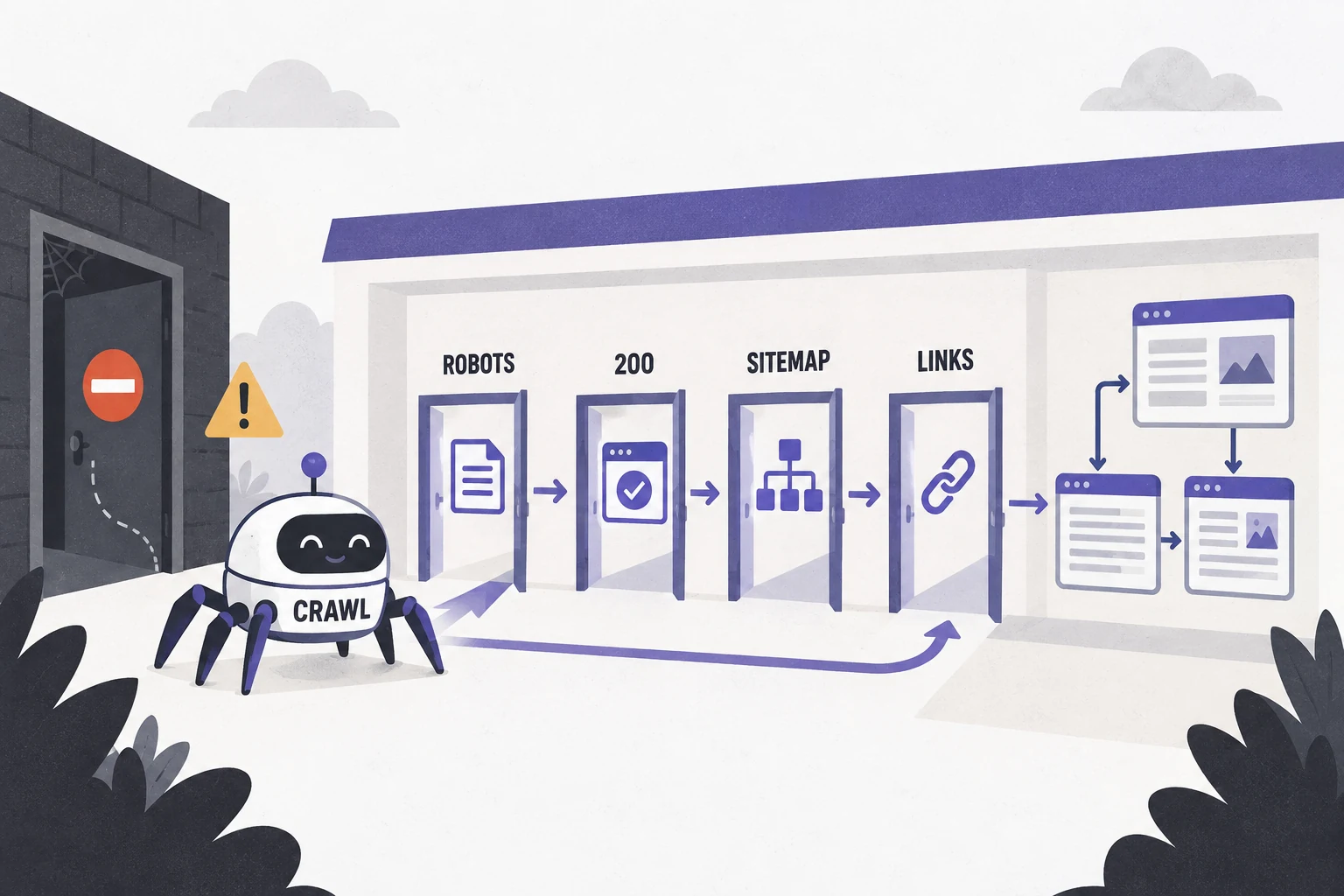
1. Check crawl access and HTTP responses
Begin with a sample of important URLs: the home page, top category or solution pages, product pages, application pages, proof pages, and the contact page. Request each URL as a normal browser and as a crawler. Record the status code, final URL, response time, and whether the main content is present in the delivered HTML or rendered page.
- Confirm that important pages return HTTP 200 and that retired URLs use an intentional redirect or a clear gone response.
- Review robots.txt for rules that block important paths, assets, JavaScript, CSS, or an entire staging folder.
- Check that the XML sitemap contains canonical, indexable URLs that the business wants discovered.
- Look for redirect chains, soft 404 pages, accidental password protection, and links that lead to error responses.
- Compare the visible page with the HTML that a crawler receives. Important copy should not depend on a blocked or broken script.
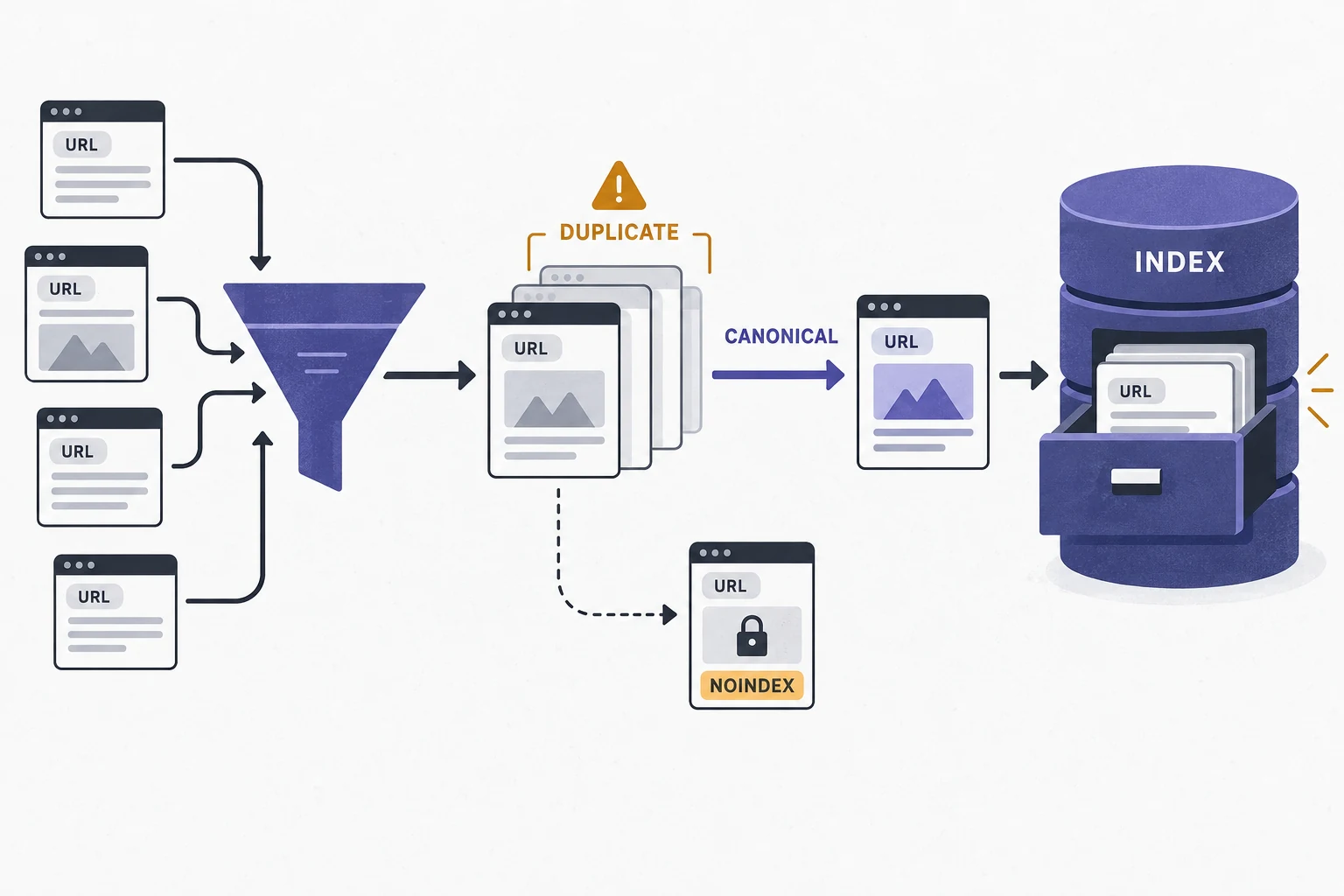
2. Check indexation, canonical URLs, and duplicates
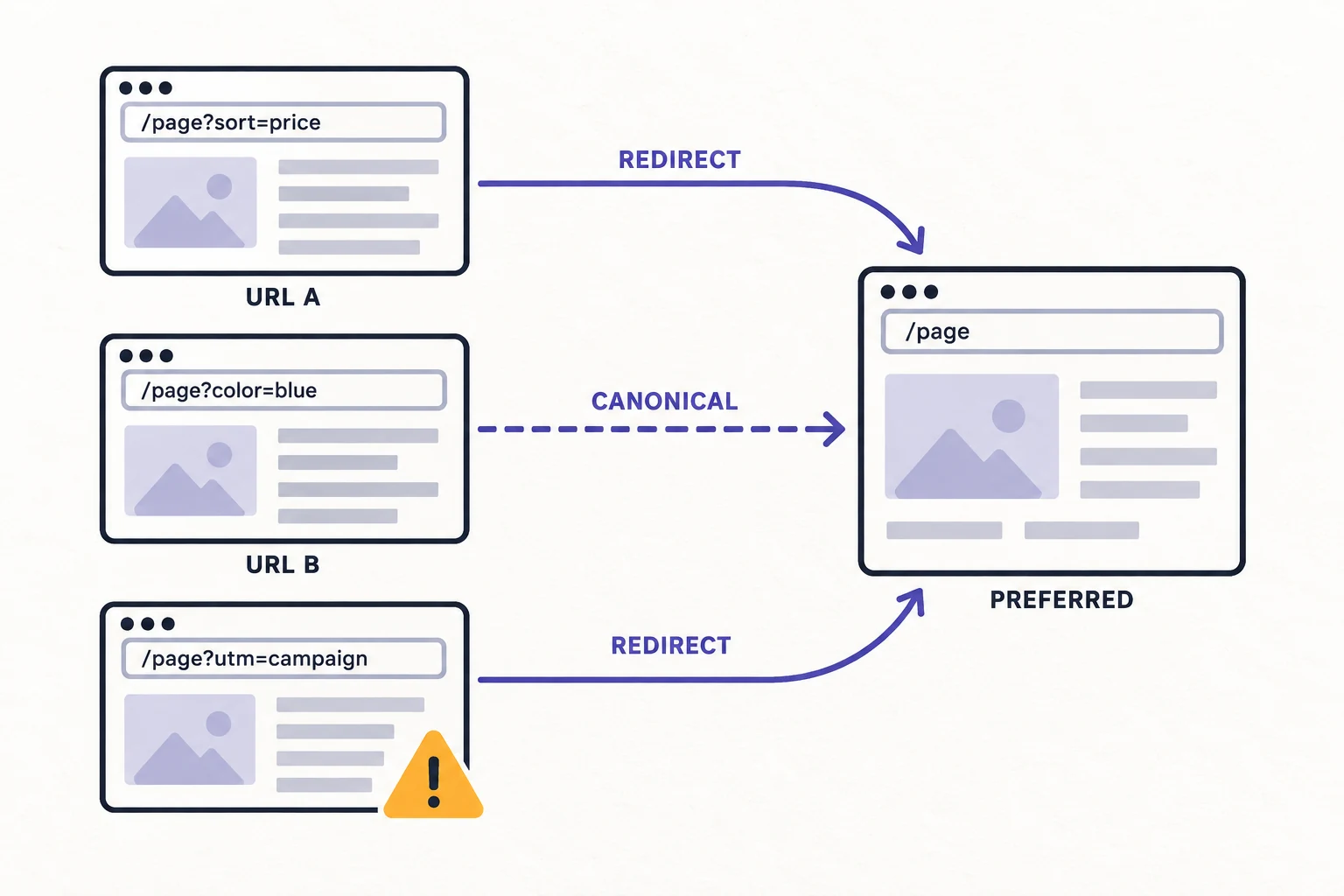
Indexation is a selection problem. A site can have many accessible pages while search systems choose a different URL, group several URLs together, or exclude a page. Review canonical tags, noindex directives, redirects, parameter URLs, print versions, faceted navigation, and translated or duplicated templates.
- For every important page, confirm that the canonical points to the URL the business intends to own the query.
- Compare canonical tags with sitemap entries, internal links, redirects, and hreflang where applicable. Conflicting signals deserve an owner and a fix.
- Separate pages that are intentionally private or utility pages from pages that should attract search demand.
- Use Search Console URL Inspection to check the indexed version and the selected canonical. Treat the report as page-level evidence, not a sitewide score.
- Group duplicate findings by template or parameter pattern so one repair can solve many URLs.
3. Check intent, titles, headings, and proof
A page can be technically clean and still fail because it answers the wrong question. Compare the target query with the page type shown in the current SERP. A product or service query needs a page that explains fit, specifications, process, and the next action. A definition or comparison query may need a buyer guide. Do not force every query into a blog post.
- Give each important URL one primary buyer task. Record the query, audience, page type, and desired action in the audit sheet.
- Check that the title, rendered page title, H1, opening paragraph, and main sections describe the same subject.
- Replace generic copy with details a buyer can use: materials, standards, applications, tolerances, lead time, sample process, or service scope when those facts are verified.
- Add evidence where a claim needs support. Use product images, drawings, inspection records, process details, or a named contact path instead of broad slogans.
- Review related pages for overlap. If two URLs answer the same buyer question, choose an owner before adding more copy.

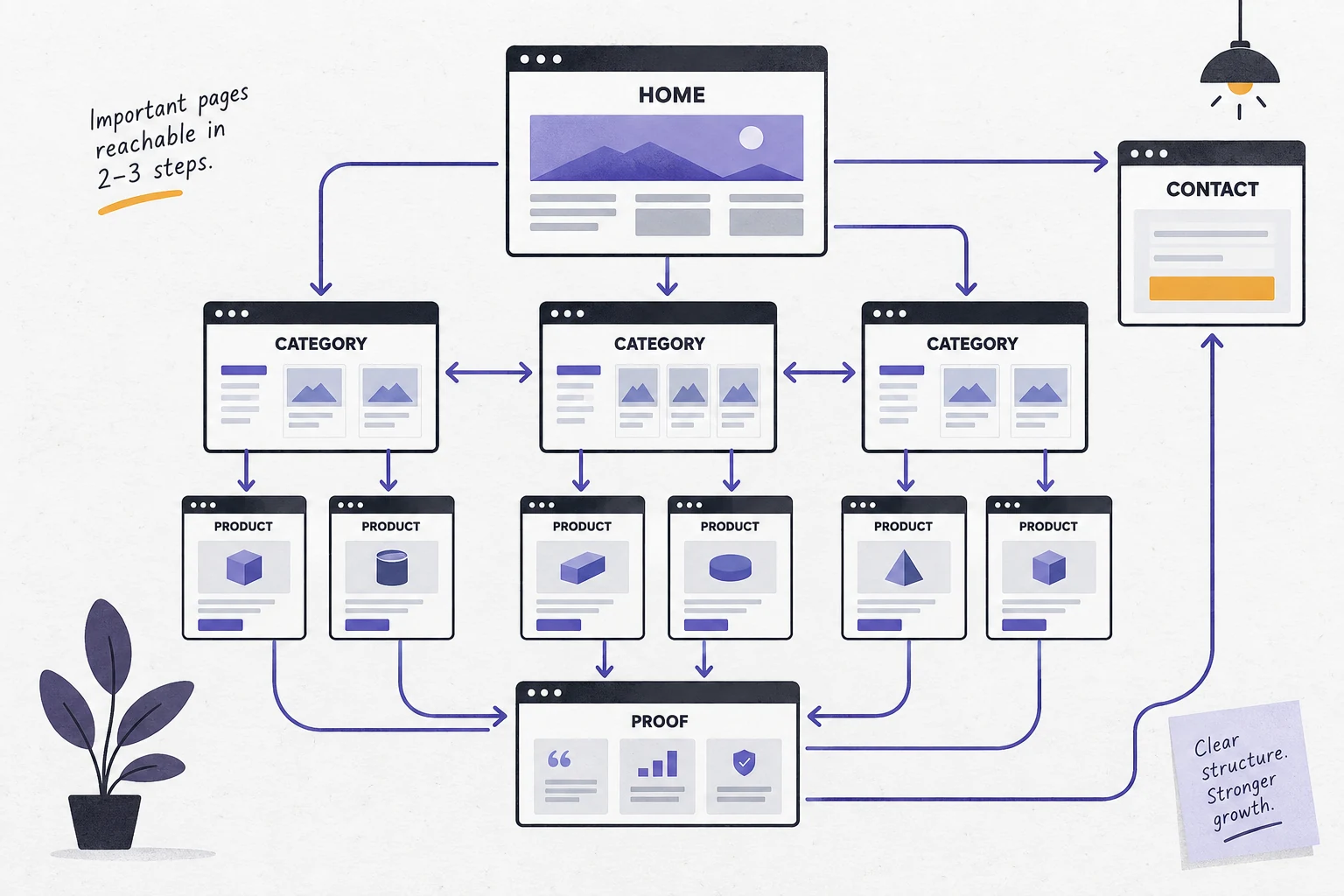
4. Check internal links and information architecture
Internal links tell visitors and search systems which pages belong together. They also decide whether a new article can pass attention to a product, solution, or contact page. Review navigation, breadcrumbs, related content, contextual links, and orphan pages together rather than counting links in isolation.
- Make priority commercial pages reachable from a relevant hub and from useful supporting articles.
- Use anchor text that describes the destination. Avoid repeating a vague label such as “learn more” for every link.
- Find orphan pages and pages that need many clicks from the home page. Shorter paths usually help users, but the right path depends on the site structure.
- Check that links in mobile layouts remain visible and easy to tap.
- Remove links to redirected, irrelevant, thin, or retired pages after confirming the replacement.
5. Check performance, mobile rendering, and accessibility
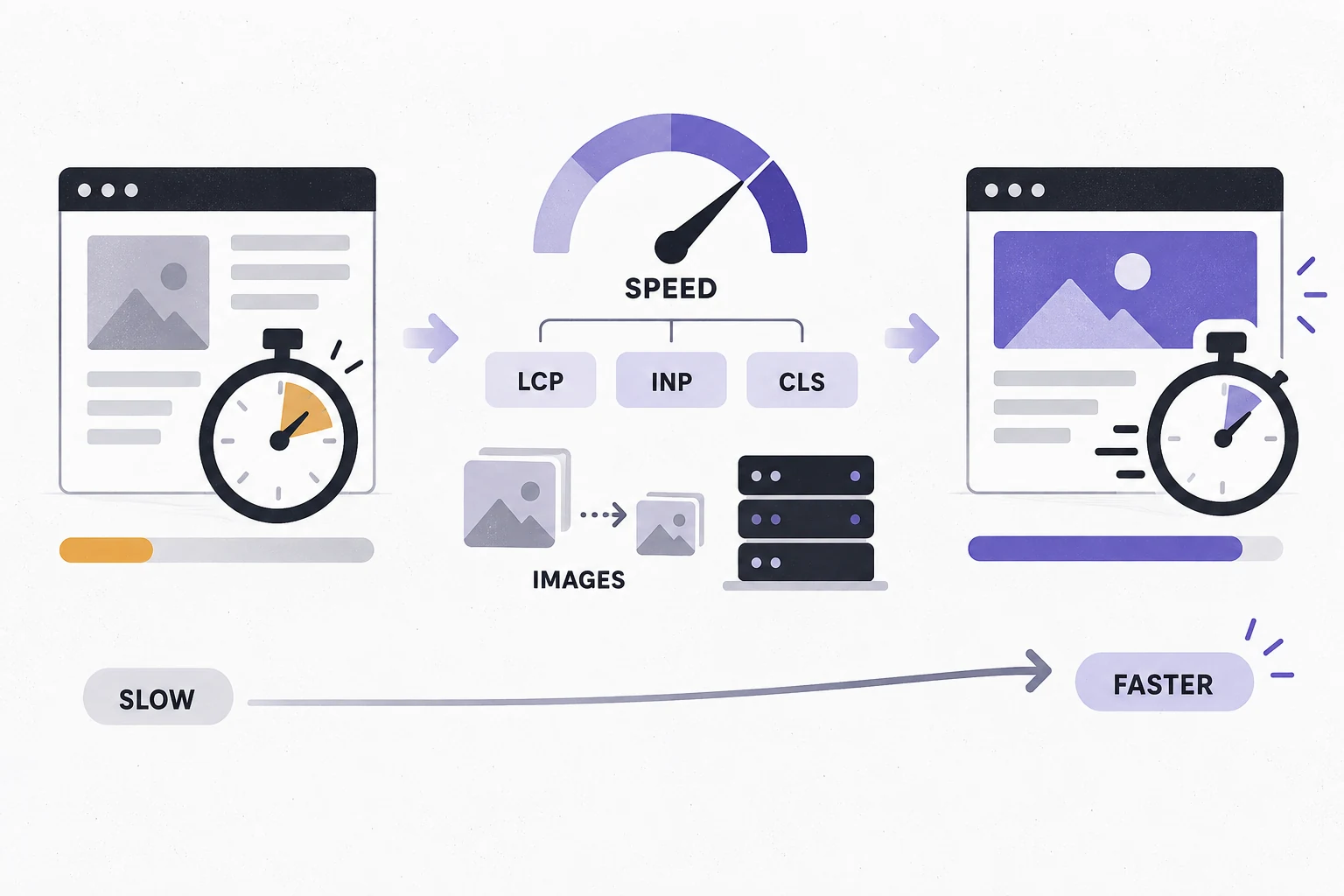
Use field data when it is available, then use lab tests to reproduce a problem. A page-speed score is a diagnostic clue. It is not a business outcome. In an audit, report the template, device, test conditions, affected URLs, and the change that should be tested next.
- Review Core Web Vitals and the causes behind slow or unstable pages, such as large images, render-blocking assets, layout shifts, or slow server responses.
- Test key pages at mobile and desktop widths. Look for horizontal overflow, clipped tables, unreadable text, hidden CTAs, and buttons that are hard to tap.
- Check image dimensions, format, compression, lazy loading, and meaningful alt text. Images should explain the product, application, process, or page structure.
- Run a scoped accessibility check for heading order, link names, color contrast, form labels, keyboard access, and meaningful image alternatives.
- Record template defects separately from article-level findings. A sitewide header or footer issue should have one owner.

6. Check structured data, images, and AI-search retrieval
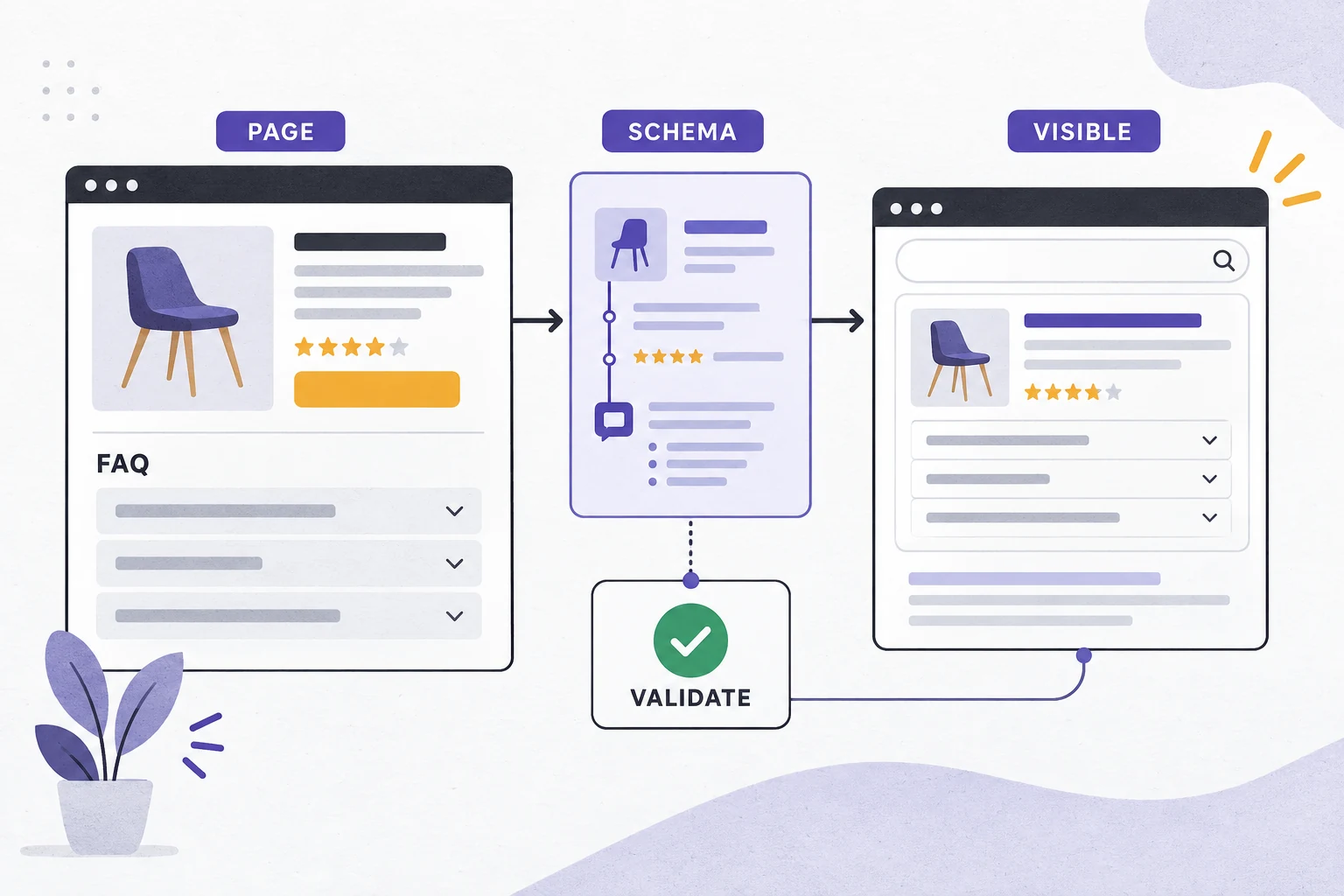
Structured data can help search systems interpret a page, but it does not replace visible content. Confirm that the markup matches the page, uses an eligible type, and passes validation. Keep claims, prices, ratings, and FAQ answers consistent with what a visitor can see.
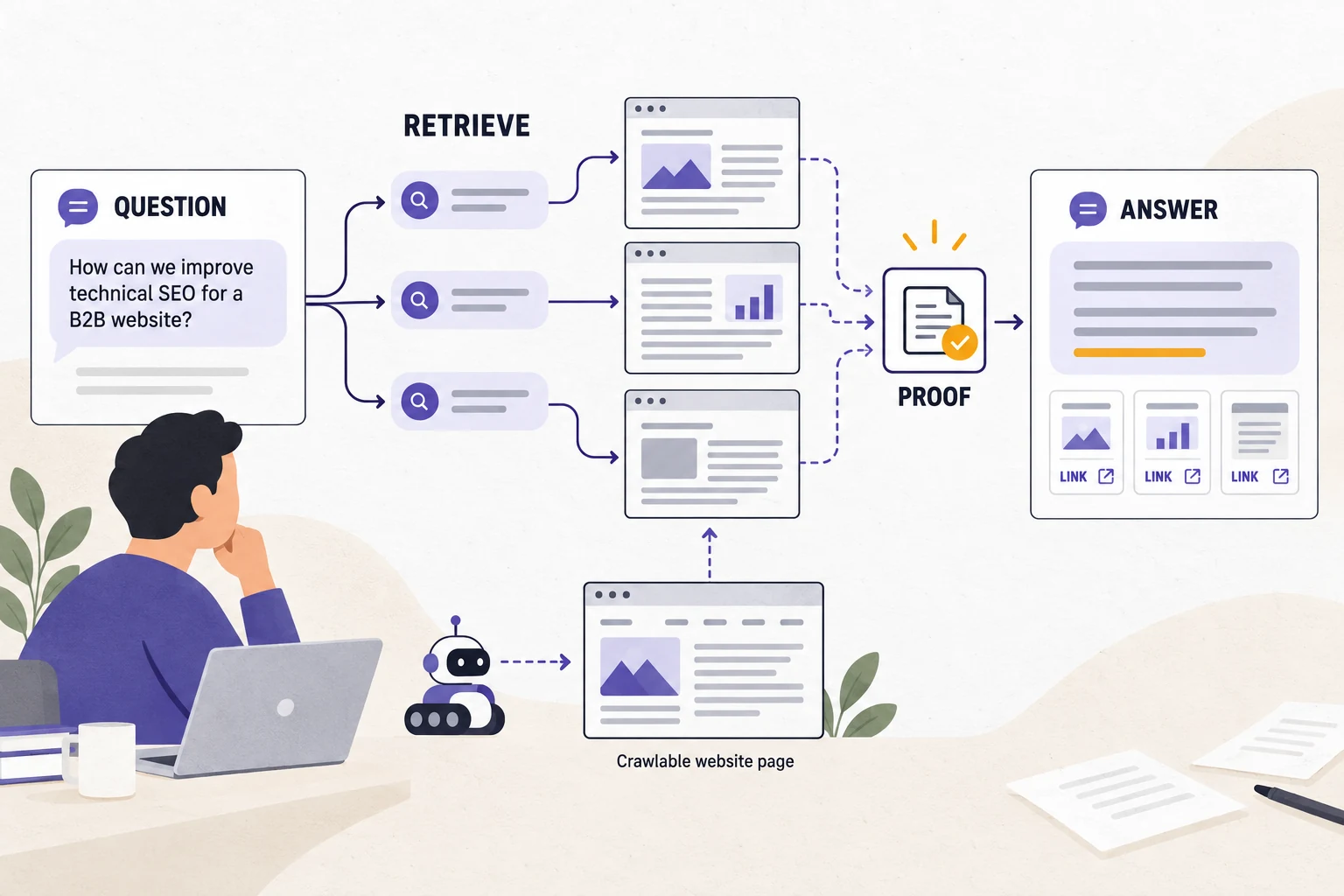
For AI search, start with the same technical foundation. Google says its generative features use core Search systems to retrieve and ground answers, and that SEO best practices remain relevant. The official guidance is available in the Google guide to generative AI features. It also says there is no special Google markup or file that guarantees inclusion. The practical audit question is whether a page is crawlable, indexable, clear, useful, and supported by evidence.
- Check that the main answer appears in normal page content and is organized under descriptive headings.
- Use specific entity names, product or service terms, standards, use cases, and limitations where they help a buyer choose.
- Add relevant original images with descriptive alt text and captions. Google notes that images and video can provide additional ways to appear in search experiences.
- Review FAQ or HowTo markup only when the visible page actually contains those answers or steps.
- Measure AI visibility separately from Google volume, organic clicks, and inquiries. A mention or citation sample is evidence for that sample, not a ranking guarantee.
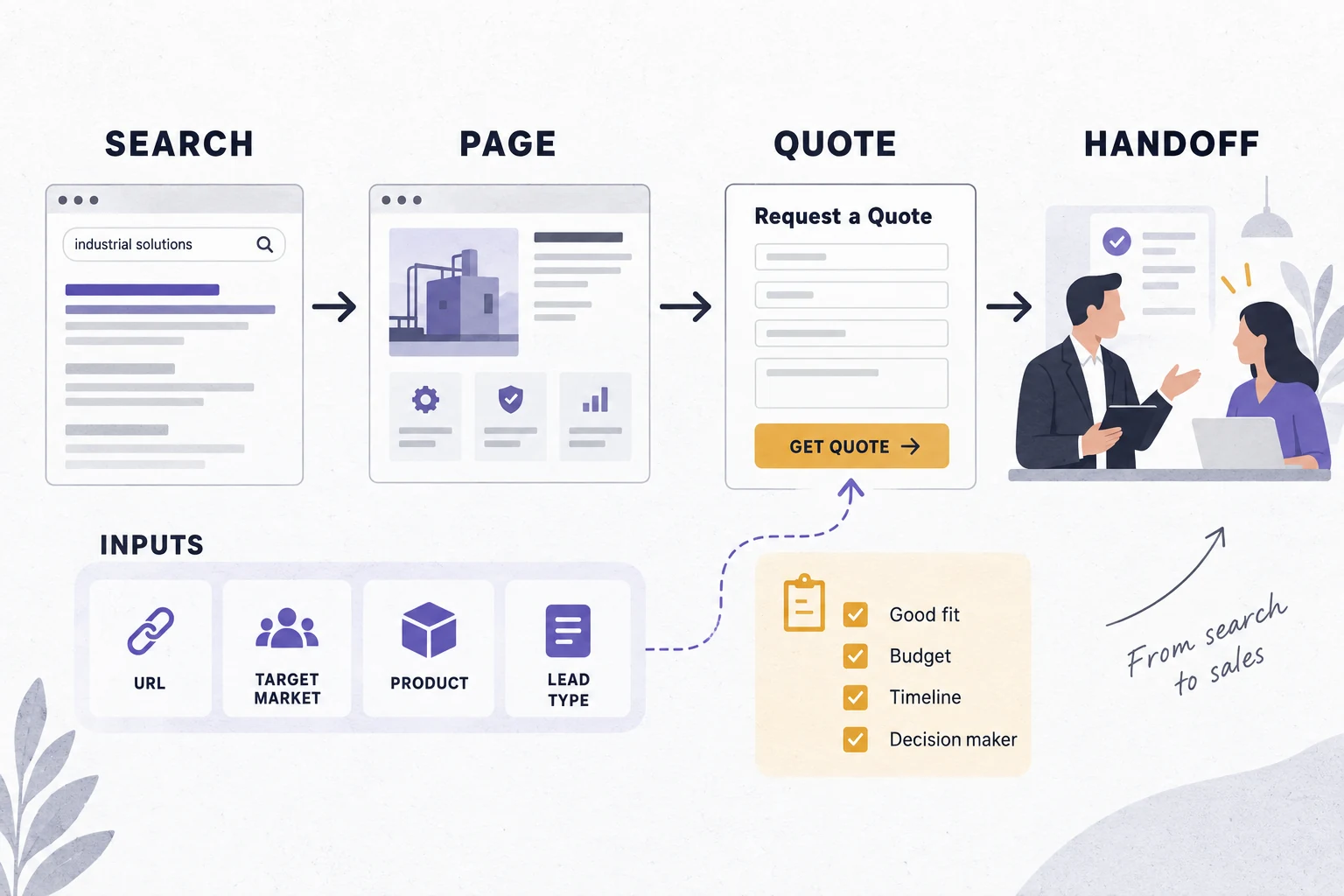
7. Check the B2B conversion path and sales handoff
An SEO audit is incomplete when it stops at the click. A B2B visitor may need a drawing review, sample, technical call, quote, lead-time check, or product match. The page should explain what the buyer can request and what information will make the response useful.
- Give each commercial page a CTA that names the action, such as Request a Custom Quote, Send Your Drawing for Review, or Confirm Lead Time.
- Keep the form short enough to finish, but ask for the details sales needs to qualify the request.
- Track form starts, submissions, phone or email actions, and qualified inquiries as separate events.
- Ask sales which pages attract poor-fit inquiries and which questions repeat in calls. That feedback often reveals content gaps that tools cannot see.
- Make the thank-you page and follow-up process part of the audit. A good visit can still be lost after the form is sent.
What each SEO audit tool can actually prove
Use more than one evidence source, but do not blend their numbers. Each tool measures a different part of the system. Write the source and date beside every finding so another person can reproduce the decision.
| Evidence source | Useful for | Do not infer from it |
|---|---|---|
| Search Console | Queries, pages, impressions, clicks, indexing examples, and sitemap status | It does not show every user journey or guarantee future traffic. |
| Analytics and CRM | Engagement, forms, calls, qualified leads, and sales feedback | A visit or form event is not automatically a qualified opportunity. |
| Crawler | Status codes, redirects, titles, headings, canonicals, links, and repeated templates | A warning is not automatically a business priority. |
| Page-speed and accessibility tests | Performance symptoms, responsive behavior, and scoped accessibility defects | A lab score alone does not predict revenue. |
| Keyword, SERP, and AI-search research | Demand, intent, page formats, features, and sampled answer visibility | These metrics do not promise rankings, citations, or leads. |
How to prioritize audit findings
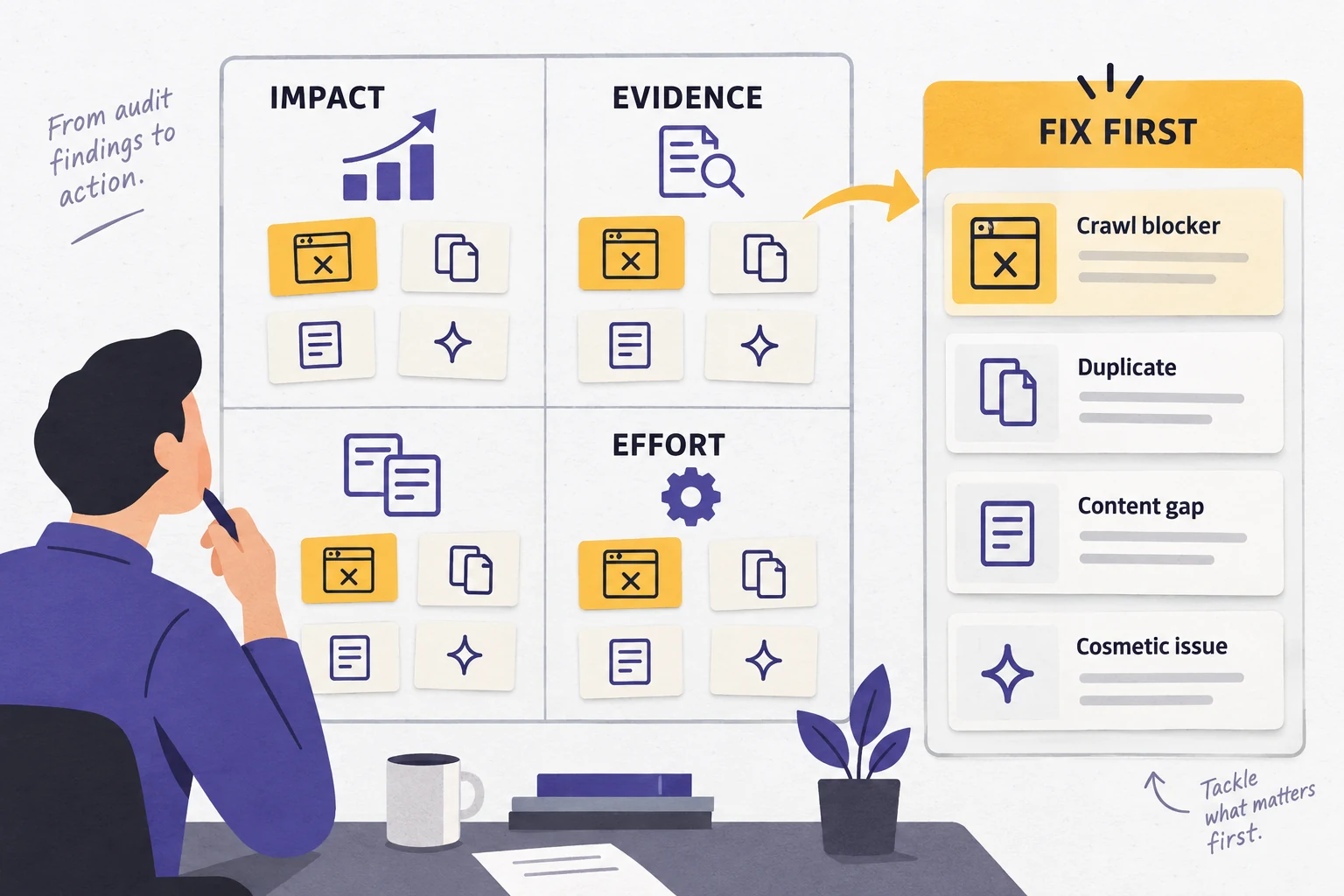
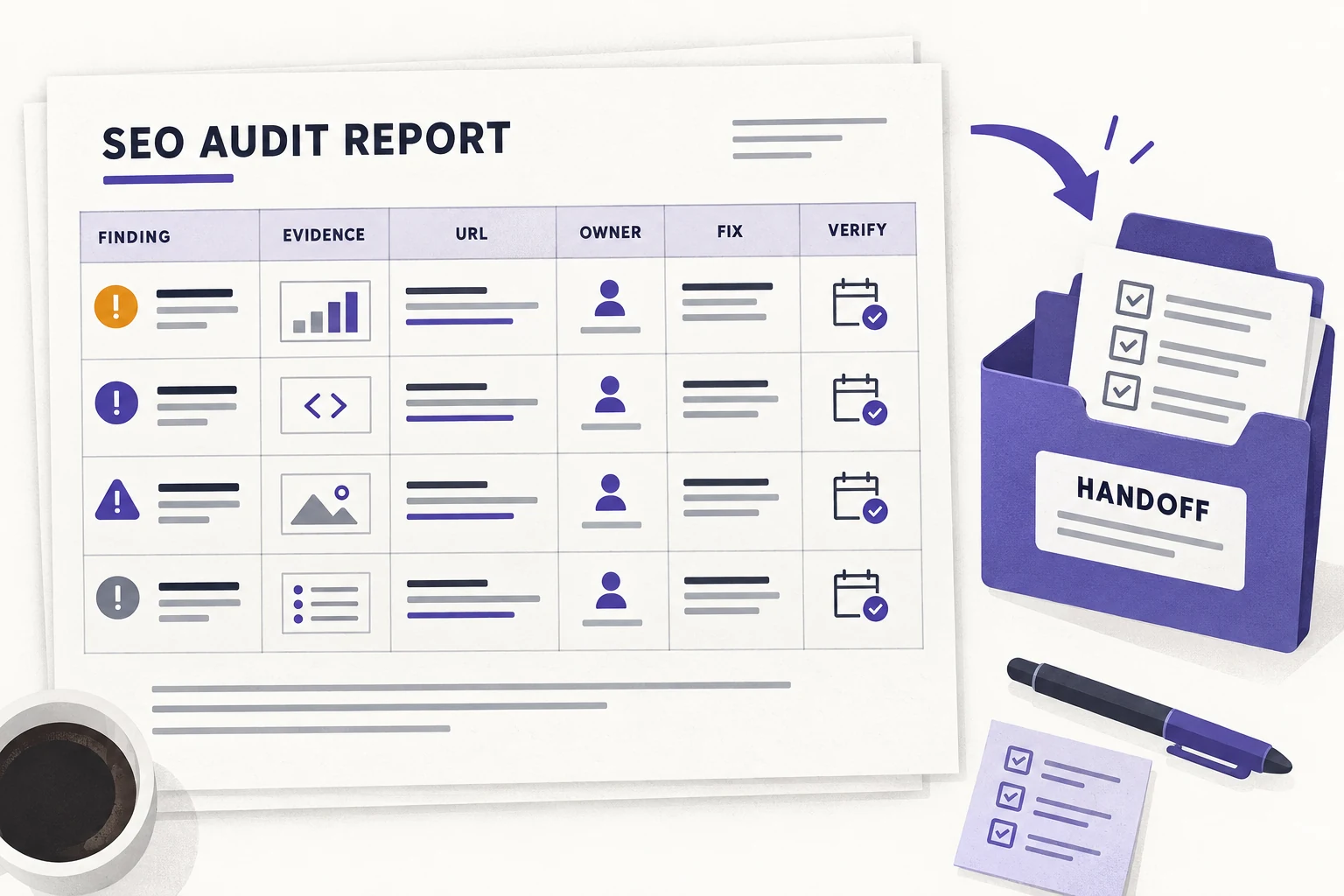
A long issue export is hard to use. Turn each finding into a small work item with five fields: affected URL or template, evidence, business impact, recommended owner, and verification method. Then place it in a repair queue.
- Fix access and indexation blockers that affect important pages or a large template group.
- Resolve URL ownership and intent conflicts so one page can serve the buyer task clearly.
- Repair internal paths, missing proof, weak CTAs, and tracking gaps on pages that can create demand or inquiries.
- Schedule performance, accessibility, markup, and cleanup work according to the pages affected and the effort required.
DIY audit or SEO audit services?
A small site with a clear CMS and one market can begin with an internal review. Use a spreadsheet, Search Console, analytics, a crawler, page-speed tests, and a short list of important URLs. The goal is to find issues the team can explain and fix.
External SEO audit services become more useful when the site is large, multilingual, recently migrated, template-heavy, commercially important, or affected by server and CMS constraints. Ask for the method, sample evidence, URL-level findings, priorities, owners, and verification plan. Avoid any service that offers a guaranteed ranking or AI citation.
| Situation | Start with | Request from a service provider |
|---|---|---|
| Small site, one market, stable templates | Internal checklist and a sample of important URLs | A review of gaps the team cannot reproduce. |
| Redesign or domain migration | Redirect map, sitemap, canonical, and indexation plan | Prelaunch and postlaunch validation with rollback points. |
| Large catalog or many templates | Template inventory and impact groups | Crawl segmentation, prioritization, and owner-ready tickets. |
| B2B site with weak lead quality | Page to CRM path and sales feedback | Conversion diagnosis linked to pages, forms, and lead definitions. |
What to send when requesting an audit
Give the auditor enough context to judge impact. The following package is usually more useful than a single domain name:
- The site URL, target countries and languages, priority products or services, and the markets where sales can respond.
- The definition of a qualified lead, the normal sales cycle, and any pages that generate poor-fit or high-value inquiries.
- Search Console and analytics access, a sitemap, recent migration or redesign notes, and a list of staging or restricted areas.
- CMS, hosting, translation, ecommerce, and form details when they affect rendering, URLs, or tracking.
- The questions you want the audit to answer. A clear decision is easier to support than a request to find everything wrong.
Audit report acceptance criteria
Before accepting a report, check whether a developer, marketer, or sales owner could use it without another interpretation meeting. Every high-priority item should name the URL or template, show the evidence, explain the buyer or search impact, identify the owner, and state how the team will verify the repair.
For AI-search work, add the exact question or prompt, market, date, model or search surface, source or citation sample, and limitations. Keep those observations separate from Google Search Console and keyword-volume data. This makes the report easier to update as search interfaces change.
SEO audit FAQ
What is an SEO audit?
An SEO audit is an evidence-led review of a website’s crawlability, indexability, page relevance, internal links, performance, structured data, and conversion path. It should connect each finding to a URL, an impact, and a practical next step.
How often should a B2B website get an SEO audit?
Run a full audit before a redesign, domain move, or major information architecture change. For an active B2B site, review the highest-risk technical and conversion checks monthly and run a broader audit every quarter or after a major release.
What is included in a technical SEO audit?
A technical SEO audit normally covers crawl access, HTTP status codes, robots directives, XML sitemaps, canonicals, indexation, rendering, mobile usability, performance, internal links, structured data, and important template changes.
Can I do an SEO audit myself?
Yes, if you can access the site, Search Console, analytics, a crawler, and page-speed tools. A consultant or SEO audit service becomes useful when the site is large, multilingual, recently migrated, commercially important, or has issues that require server or CMS changes.
What is the difference between an SEO audit and an SEO report?
An audit diagnoses problems and explains evidence, priority, owner, and fix. A report may only summarize traffic, rankings, or completed tasks. A useful audit report gives a team a repair sequence rather than a list of tool warnings.
Does an SEO audit help with AI search?
It can remove the access, indexing, page-structure, and evidence problems that make content harder to retrieve and understand. Google says its generative search features build on core Search systems, so AI-search readiness starts with crawlable, indexable, useful pages rather than a special file or markup.
How do I prioritize SEO audit findings?
Score each finding by affected business pages, search or conversion impact, confidence in the evidence, and implementation effort. Fix access and indexation blockers first, then page intent, internal linking, content proof, performance, and lower-impact cleanup.
What should I send when requesting an SEO audit?
Send the site URL, target markets, priority products or services, lead definition, CMS details, recent migrations or redesigns, Search Console and analytics access, and any pages that sales or customers say are hard to find.
Request a B2B SEO audit
If you need a second pair of eyes, request a site diagnostic. Include the URL, target market, priority pages, lead type, and the change you are considering. That gives the audit a decision to support and a clear way to verify the work.